Chrome side panel extension
Test your Meta Pixel event by event
Meta Pixel Tester shows what your pixel really sends while you click through your own site. Every event lands on a timeline with its parameters, and every problem comes with a plain fix.
- Stays in your browser
- 7-day history
- 15 languages
How it works
Three steps, no setup
- 1
Install and open
Add the extension, open your website and click the toolbar icon. The side panel opens next to the page.
- 2
Click through your store
Reload the page, then visit a product, add it to the cart and check out, just like a customer would.
- 3
Read the verdict
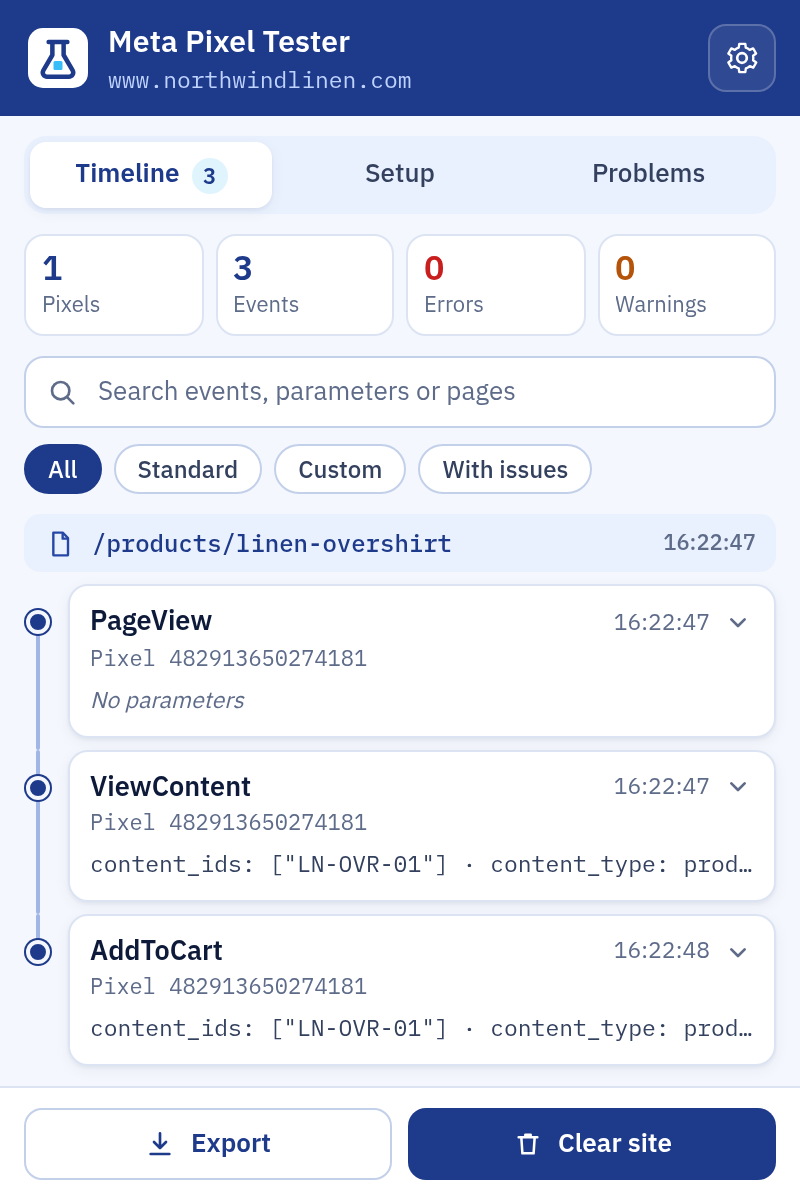
Each event lands on the timeline with its parameters. Problems come with a one-line fix you can pass on.
Three tabs
Everything about your pixel in one panel
Timeline
Events grouped by the page that sent them, in the order they fired. Single-page checkouts get one group per step.
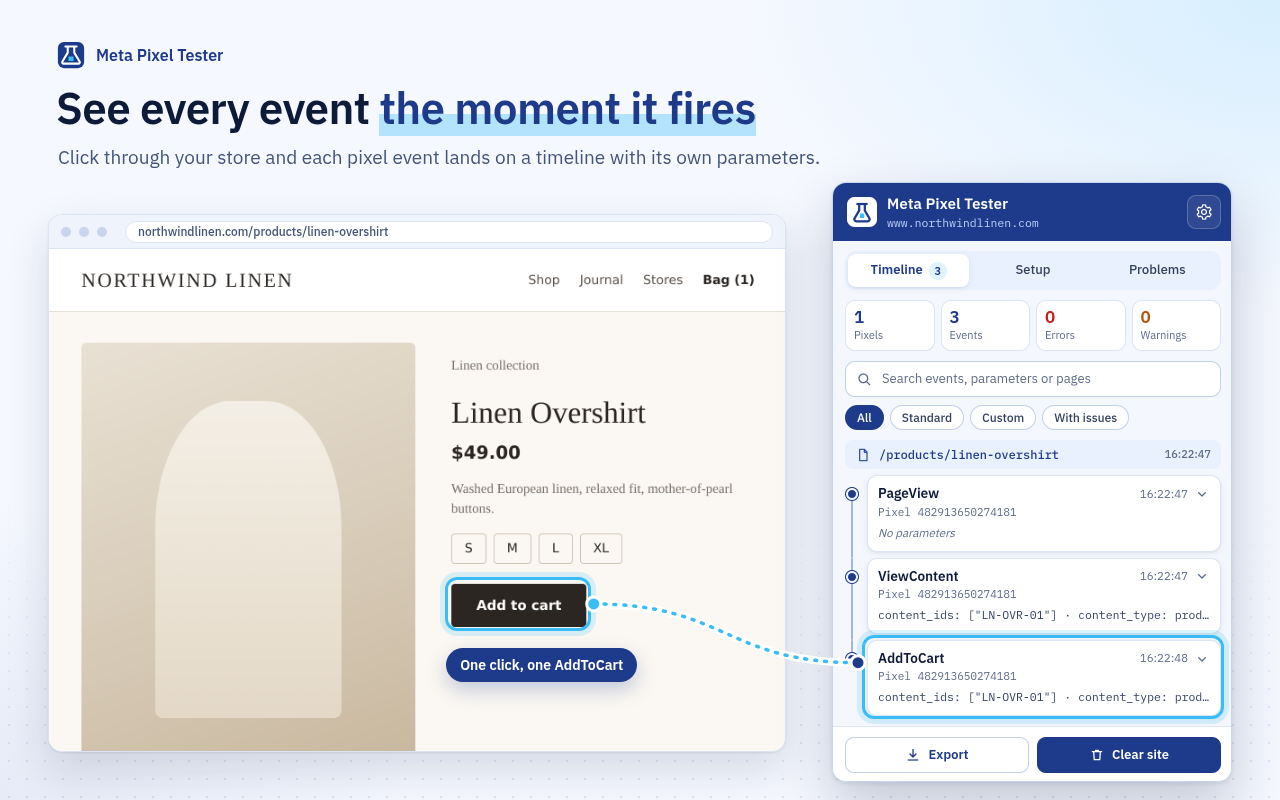
Setup
Pixel IDs, init calls, library version, consent, Limited Data Use, first-party cookies and hashed customer fields.
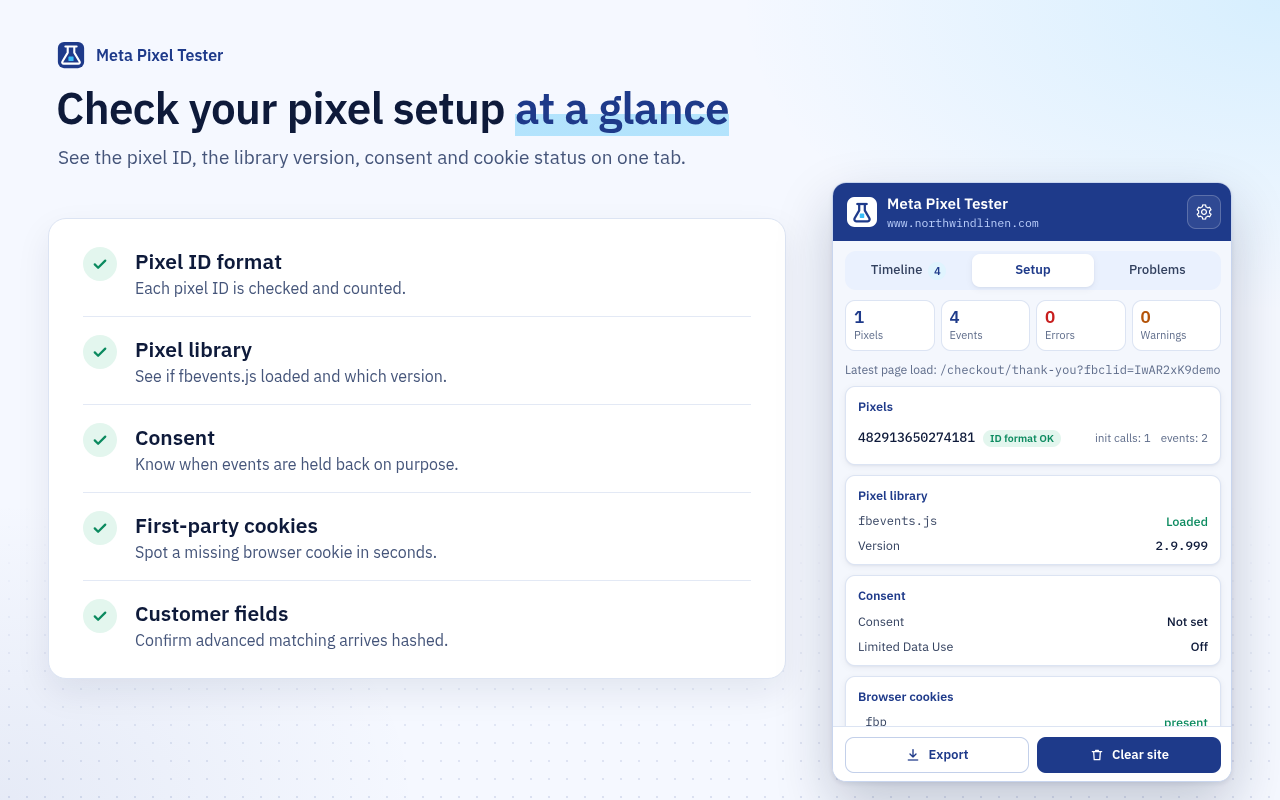
Problems
Every issue sorted into errors, warnings and tips, with a plain fix and a link back to the event.
What it checks
The mistakes that quietly cost you conversions
Purchase value and currency
A Purchase without a value or currency is flagged, and so is a value sent as text or a currency code that does not exist.
Product IDs for catalog ads
Shopping events without content_ids or contents are flagged, because catalog ads cannot match them.
Typos in names
Misspelled event and parameter names are caught, including standard events written in the wrong letter case.
Double triggers
The same event with the same parameters firing twice within two seconds is reported.
Event IDs
Missing or reused event IDs are pointed out, so your events are ready for deduplication later.
Personal data leaks
Email addresses and phone numbers in parameters or page addresses are flagged, as are unhashed customer fields.
Pixel setup
Wrong pixel ID format, a pixel initialized twice and pages without a PageView are reported.
Calls that never left
An fbq call that never turned into a request is caught, as is a page where the pixel library never loaded.
Consent and cookies
Revoked consent, Limited Data Use and missing first-party cookies are shown with what they mean.
Private by design
Your data never leaves your browser
The extension makes no network requests of its own. There is no account, no server and no analytics.
Checked locally
Every rule runs on your computer, inside Chrome.
Kept for 7 days
Old events are removed automatically, or clear them yourself.
Personal data masked
Emails and phone numbers are replaced before anything is saved.
Export when you want
Save a site as JSON or a spreadsheet-safe CSV.
FAQ
Questions, answered
How do I test my Meta Pixel with it?+
Open the website you want to test, click the toolbar icon to open the side panel and reload the page. Then click through the steps you care about. Every event appears on the timeline right away, with any problem and its fix.
Can it see events sent from my server?+
No. It shows what the browser sends. Events sent from your server go straight to Meta and never pass through the browser, so check those in Events Manager.
Why does an event say Not sent?+
The page called fbq for that event but no request followed. The usual causes are revoked consent, a call made before the pixel was initialized, or a blocker.
Where is my data stored?+
Only in your browser. Events are removed automatically after 7 days, and you can clear one site or all history at any time. Email addresses and phone numbers are masked before anything is saved.
Does it work with the old Facebook Pixel?+
Yes. The Facebook Pixel was renamed Meta Pixel, and it is the same code. Any site using it can be tested.
Is there an account or a paid plan?+
No. There is no sign-up, no account and no paid plan.
Find out what your pixel really sends
Install the extension, open your store and watch every event arrive with a clear verdict.
Add to Chrome